

M.2 vs SATA Compared
Quantum Gaming Blog
Why Does an NVMe SSD Matter?
M.2 vs SATA Compared
Waiting at loading screens is one of gaming's least obvious yet most frustrating problems. But does the SSD really make the difference?
You launch a game and the loading screen appears. You realize how long you have been waiting. Your friend is already in, while you are still staring at “Loading…” . If this sounds familiar, your storage drive is probably holding you back.
SSD technology has advanced so quickly over the past few years that the question is no longer just “Do you have an SSD?” , but “Which SSD?” .
Beyond HDDs: The Real Difference Is Between SSDs
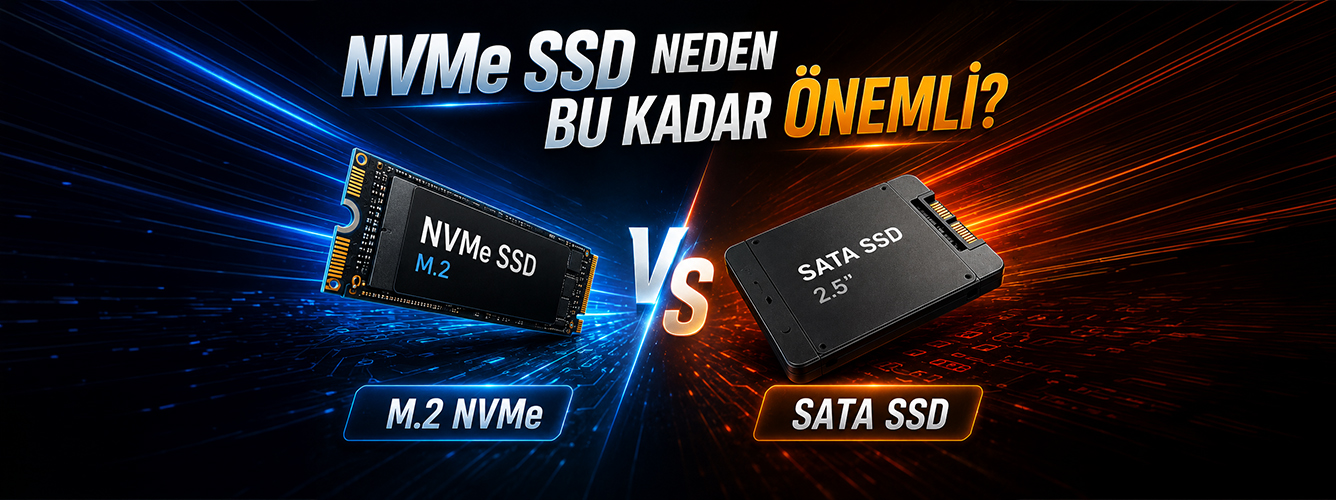
Comparing HDDs with SSDs is hardly the main issue anymore. Mechanical drives have almost become a thing of the past for game installations. The real question is whether you have a SATA SSD or an NVMe SSD .
A SATA SSD uses the same data interface as older hard drives. It is much faster than an HDD, of course, but still works over the same channel. Read speeds are usually around 500–550 MB/s .
An NVMe SSD uses the PCIe interface instead. Even an entry-level NVMe SSD can therefore reach read speeds of 3,000 MB/s . High-end Gen4 or Gen5 models can reach 7,000–14,000 MB/s .
In short, a SATA SSD is fast, but NVMe is what brings modern systems up to speed.
What Difference Does It Make in Games?
Imagine playing Cyberpunk 2077. On a system with a SATA SSD, the details of Night City load gradually when you first enter: buildings, signs and vehicles appear in turn. On an NVMe system, the same scene arrives much faster and more fully formed.
The difference in loading times is especially noticeable in these situations:
Open-world games
Map transitions, fast-travel points and large areas load faster.
Multiplayer lobbies
You can be ready sooner at the start of a match in games such as CS2 or Warzone.
Windows startup
A startup that takes 15–20 seconds with a SATA SSD can drop to around 5–8 seconds with NVMe.
Entering the lobby early is a small but real advantage in competitive games. If your opponents are getting ready while you are still loading the map, you are behind before the match starts.
Does an M.2 Slot Mean NVMe?
This is a common source of confusion. M.2 is a form factor; NVMe is a protocol. They are not the same thing.
M.2 slots can accommodate SATA or NVMe SSDs. Having an M.2 slot does not automatically mean you get NVMe speeds. Always look for “NVMe” in the product description.
| Feature | SATA M.2 | NVMe Gen4 M.2 |
|---|---|---|
| Read speed | ~550 MB/s | ~7,000 MB/s |
| Write speed | ~520 MB/s | ~6,500 MB/s |
| Price level | Low | Medium–High |
| Game loading | Moderate | Fast |
Gen3 vs Gen4 vs Gen5: Which Is Worth Paying For?
NVMe SSDs are also divided into generations. Today, Gen3, Gen4 and Gen5 are the most common.
Gen3 is still sufficient for everyday use and gaming. Speeds of 3,000–3,500 MB/s provide a smooth experience for many users.
Gen4 is currently one of the most sensible choices. With prices becoming more accessible, it can offer performance in the 6,000–7,000 MB/s range.
Gen5 can theoretically reach much higher speeds. To make full use of that performance, however, the whole system needs to be ready, from the motherboard to cooling. This is why Gen4 remains a very strong value option.
Does It Matter Beyond Gaming?
If you also edit videos, render 3D scenes or transfer large files, the difference NVMe makes becomes much clearer.
When working on a 4K project in DaVinci Resolve, smooth previews are directly linked to how quickly source files can be read. In software such as Blender, the speed of writing temporary files can also affect your workflow. A SATA SSD can become a noticeable bottleneck here.
What If You Want to Keep Your Old Drive?
An NVMe SSD should be your primary drive for the operating system and the games you play most often. Your old SATA SSD or HDD can still hold large archives, backups and less frequently played games. You do not have to move everything to NVMe; moving what you use most is enough.
What to Check When Buying a Prebuilt PC
When building your own system, you choose the SSD yourself. If you are shopping for a prebuilt PC, be sure to check which type of SSD it contains.
If the product description only says “1TB SSD” , it could mean SATA or NVMe. The price difference may look small within the total system cost, but the performance difference is directly noticeable.
Quantum Gaming's prebuilt systems use NVMe SSDs, with Gen4 models among the options. That means one less storage decision to worry about when your system arrives.
The Takeaway
If you still use a SATA SSD and plan to upgrade your system, moving to NVMe is one of the quickest ways to make a tangible difference. It may not look as exciting as a new graphics card, but you will notice it every day and every time you launch a game.
Quantum Gaming
Faster startup, shorter loading screens and a smoother gaming experience.